
Self-Paced Blackboard Basics Course
Watch this short video on how to enroll:
How To...
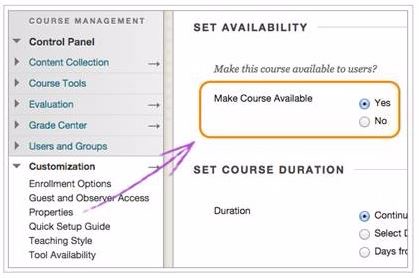
Make My Course Available
Course Management > Customization > Properties> Set Availability
Customize Blackboard Menus

Add Content (e.g. Syllabus, Readings)
This video covers the basics of adding content to Blackboard. It demonstrates first how to upload a file and an item, and how to edit them once they've been shared to Blackboard. Next, it shows how to share a file from CUNY Dropbox, and share a web link. It then demonstrates how to embed a YouTube video into a Blackboard page. Finally, it covers how to double-check your content using Student Preview Mode.
* All files must be ADA accessible >>learn more...
Create Announcements

Create an Assignment

Create and Edit a Quiz

Create a Discussion Board Forum

Use the Grade Center
Create Bb Rubrics

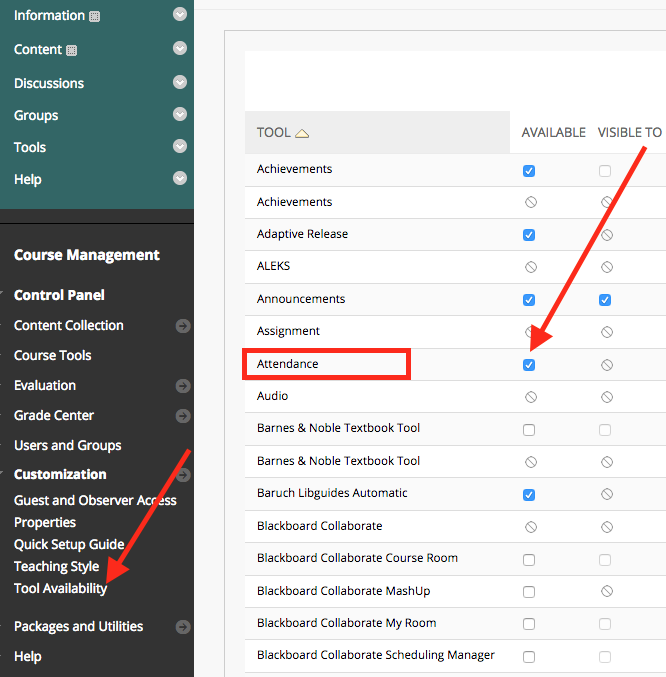
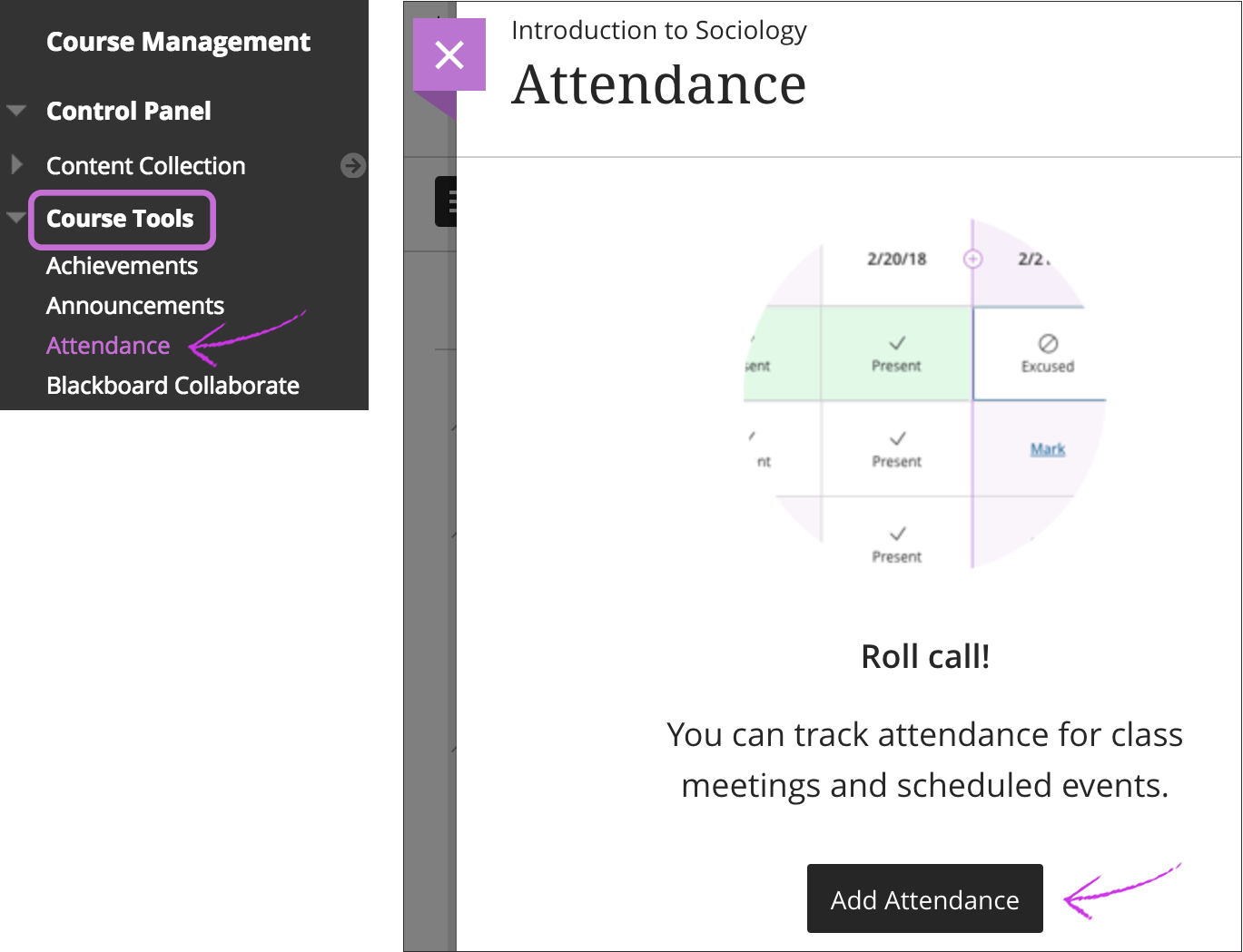
Take Attendance on Bb
Initiating the tool
Control Panel > Customization > Tool Availability > check the radio button next to Attendance > Submit
(this step should be done only once)
Using the tool
After the tool has been initiated, go to Control Panel >Tools> Attendance
Add a New User to my Bb Course

Merge Course Sections

For more help, visit https://help.blackboard.com/Learn/Instructor or request an appointment.


Last Updated: 01/29/2024 09:36