Secure computing for the CCNY community requires that our users participate in making sure our campus computing is safe! By following certain protocols and procedures that are in place and by reading any Office of Information Technology e-mail broadcasts you will be using CCNY computing 'best practices'.
The Office of Information Technology (OIT) is steadily updating and adding information, posting guidelines and providing the means to achieve the goal of secure computing. Any office that will be using sensitive information from students, faculty or staff is required to fill out and file the appropriate form(s). All forms are to be submitted to and approved by the Office of the Chief Information Officer (CIO).
See below for a list of the Security announcements sent to the CCNY Community:
Security Alert: Don’t Fall For Fake Job Offers! [11/2/26]
Dear Campus Community,
Recently, our campus has been the target of numerous phishing attacks using a variety of fraudulent offers and notices. These attacks primarily target Students, Staff and Faculty with fake notices of account termination, fraudulent job offers, and fake requests from supervisors and other administrators to purchase gift cards.
The attacks are carried out by using college accounts that were compromised in some form, impersonating college offices or officers, as well as accounts made on free email platforms such as Google (Gmail) and Outlook. We encourage everyone to exercise a high level of caution when reading email with the [external] tag or those with offers that are too good to be true.
If you think you have already been impacted by this security threat
If you receive a potential phishing message, or if you already responded to a phishing email, immediately contact the IT Security Office at itsecurity@ccny.cuny.edu or the CCNY Service Desk at servicedesk@ccny.cuny.edu .
Recommended User Action
- DO NOT reply to unexpected or unusual email from any sender.
- DO be particularly cautious when the “external source” warning banner is present.
- DO NOT respond to job offers originating from stu-mail.ccny.cuny.edu addresses. Stu-mail accounts are only assigned to students and the school does not advertise job offers using student email accounts. These jobs will try to get you to cash fake checks and send your own money to others.
- DO NOT reply to email or text messages with any personal information, passwords, or MFA verification codes. Your password or MFA verification code should never be shared for any reason. If you have reason to believe that the request is real, contact the CCNY Service Desk at servicedesk@ccny.cuny.edu or (212)650-7878.
- DO NOT click a link or open an attachment in an unsolicited email message. If you have reason to believe the request is real, type the web address for the company or institution directly into your web browser.
- DO NOT use the same password for your work account, bank, Facebook, etc. In the event you do fall victim to a phishing attempt, perpetrators attempt to use your compromised password to access many online services.
- DO change ALL of your passwords if you suspect any account you have access to may be compromised.
- DO be particularly cautious when reading email on a mobile device. It may be easier to miss telltale signs of phishing attempts when reading email on a smaller screen.
- DO remember that official communications should not solicit personal information by email.
- DO report spam to reportspam@ccny.cuny.edu
- DO read the CUNY Ransomware and Phishing Advisories posted at security.cuny.edu under CUNY Issued Security Advisories.
- DO complete information security awareness training located at https://course.enterprisetraining.com/cybersecurityemp2023/story.html.
If you have any questions about this security alert, please do not hesitate to contact IT Security at itsecurity@ccny.cuny.edu .
View the latest IT security announcements and cybersecurity updates on the CCNY IT Security Announcements page: https://www.ccny.cuny.edu/it/security_announcements.
Thank you for your attention.
Office of Information Technology
Cybersecurity Reminder: Protect Yourself When Using Websites and... [10/27/26]
Dear Colleagues,
Recent security alerts involving websites and the software that supports them, including PHP, reinforce the importance of staying alert when using online services. Vulnerabilities can allow attackers to compromise websites and potentially expose information or redirect visitors to harmful content.
Website administrators and hosting providers are responsible for applying the necessary server security updates. Everyone can help protect their accounts, devices, and College information by taking these precautions:
- Use familiar, verified entry points. Access College services through Inside CCNY or your saved bookmarks. Be cautious with links in unexpected emails, text messages, advertisements, or search results—even when they appear to come from a familiar organization.
- Stop when a website behaves unexpectedly. Unusual redirects, unexpected sign-in pages, browser security warnings, or requests to download software should prompt caution. Close the page and contact the ITS Helpdesk before continuing. A padlock or “https” alone does not guarantee that a website is trustworthy.
- Be cautious with “security update” messages. Do not install software, browser extensions, or supposed fixes offered by an unfamiliar webpage. Never copy and run commands because a website says this is necessary to verify your identity or fix a problem.
- Keep devices and browsers updated. Allow approved security updates to install and restart when prompted. Contact the Helpdesk if updates fail or require assistance.
- Protect your credentials. Use strong, unique passwords and multifactor authentication. Never share passwords or verification codes, and deny and report any MFA prompt you did not initiate. Don’t use the same password for personal or official sites
- Protect College information. Use College-approved services for institutional work. Confirm unfamiliar requests for sensitive information through a known phone number or another trusted channel.
- If you clicked a suspicious link, entered your password on an unfamiliar page, downloaded an unexpected file, or approved an unrecognized MFA request, contact the CCNY Service Desk immediately. Include the website address, time, and a brief description of what happened. Prompt reporting helps us respond quickly.
- If your department manages a website or web application, including one hosted by an outside vendor, please coordinate with OIT to confirm that applicable security updates have been addressed.
For assistance, contact the IT Service Desk at 212-650-7878 or servicedesk@ccny.cuny.edu
Thank you for helping protect our college community.
Ken Ihrer
VP and Chief Information Officer
Cybersecurity Awareness Month: Scrutinize Every Message [10/26/26]

Week 4 – Scrutinize Every Message
Introduction
This week, we focus on Scrutinize Every Message.
Phishing and online scams remain common ways cybercriminals try to steal personal information, credentials, or gain access to accounts. Be cautious with unexpected emails, texts, and other messages, especially those that ask you to act urgently, provide sensitive information, open an attachment, or click a link.
Before responding or taking action, check the sender, examine links carefully, and consider whether the request makes sense. If a message appears suspicious, don't click the link or open the attachment. At CUNY, suspicious emails should be reported directly through Outlook using the Report Phish button. The button's appearance and location may vary depending on your version of Outlook. For City College, You may also forward suspicious email to reportspam@ccny.cuny.edu .
Helpful Message Safety Tips:
- Be cautious with unexpected messages, especially those requesting personal, financial, or account information.
- Check the sender carefully and examine links before clicking.
- Be suspicious of urgency or pressure designed to make you act without thinking.
- Don't open unexpected attachments or click suspicious links.
- Verify questionable requests another way by contacting the person or organization using contact information you already know or find independently—not the information provided in the suspicious message. If you believe you clicked a suspicious link or entered your credentials on a suspicious website, contact your college IT office immediately.
- Report suspicious emails: Select the suspicious email in Outlook, click the Report Phish button, and confirm if prompted. Try to avoid forwarding suspicious emails to your campus help desk, IT staff, or colleagues for review. For step-by-step instructions, see the Knowledge Base Article.
Phishing and Message Safety Resources:
- CISA – Recognize and Report Phishing
- National Cybersecurity Alliance – What Is Phishing? How to Spot and Avoid Phishing Scams
- National Cybersecurity Alliance – Reporting Cybercrime
Facts and Figures:
Insights from the Oh Behave! Cybersecurity Attitudes and Behaviors Report: 2021–2025 (National Cybersecurity Alliance & CybSafe) are as follows:
- In 2025, phishing accounted for 40% of reported cyber incidents.
- The five-year study found that confidence in identifying phishing messages increased-, even as cybercrime victimization continued to rise.
Helpful Cybersecurity Tips:
- CUNY Cybersecurity Best Practices
- Secret Shopper, Personal Assistant, and Other Online Scams
- CUNY Information Security Resources
- CUNY Security Awareness
Our emails and supporting information are available from the Cyber Security Awareness Month (NCSAM) page on the CUNY web site.
We also provide a growing security resources list on the CUNY Information Security pages. You may also want to visit the OUCH! website to read recent security articles or subscribe to its free security awareness newsletter designed for technology users.
If you have any questions about any of this information, please contact the CCNY Information Security Office at itsecurity@ccny.cuny.edu .
URGENT: Critical PHP Vulnerabilities Require Immediate Review and Patching [10/21/26]
Dear Faculty and Staff,
The Office of Information Technology is advising all faculty, staff, departments, and application owners to immediately review any systems, websites, web applications, or services under their responsibility that utilize PHP.
Recent security advisories have identified two critical PHP vulnerabilities, CVE-2026-109618 and CVE-2026-109619, which are reported to allow remote code execution (RCE) on affected PHP servers. Successful exploitation could permit an attacker to execute arbitrary code, compromise web applications, deploy malicious software, access sensitive data, or disrupt services.
Required Actions
If your department manages or hosts any PHP-based applications, websites, research platforms, or vendor-supported systems:
- Immediately inventory and identify all PHP deployments.
- Determine the PHP version in use.
- Apply vendor security updates as soon as possible.
- Prioritize internet-facing systems and public websites.
- Coordinate with third-party vendors or hosting providers to confirm remediation activities.
- Review logs and monitor systems for suspicious activity or signs of compromise.
According to current guidance, supported PHP versions have received security updates, while PHP 8.1 and older versions are end-of-life and will not receive fixes. Organizations are advised to update to the latest supported releases and follow PHP's published mitigation guidance where immediate patching is not possible.
Important: Any department operating a PHP-based system must either apply the required updates immediately or notify us at itsecurity@ccny.cuny.edu that remediation is in progress. Due to the critical nature of these vulnerabilities, CCNY and CUNY reserve the right to isolate or block vulnerable hosts that present an unacceptable security risk to the campus network. Systems that are not remediated in a timely manner may be removed from network access until corrective action has been completed.
Threat Intelligence Summary
On October 20, 2026, the PHP Security Team announced an emergency security release addressing two critical vulnerabilities:
- CVE-2026-109618 – Reportedly enables remote code execution on affected PHP servers.
- CVE-2026-109619 – Also reported to enable remote code execution.
The PHP Security Team urged organizations to prepare for rapid patch deployment and stated that full technical details, affected versions, and remediation guidance would accompany the security release. Multiple cybersecurity organizations and national cyber agencies have highlighted the severity of these vulnerabilities.
Additional Information
Systems potentially affected include:
- Public-facing websites
- Web applications
- Content management systems (WordPress, Drupal, Joomla, Magento, etc.)
- Custom PHP applications
- Legacy and unsupported PHP installations
- Vendor-hosted applications utilizing PHP component
Departments operating such systems should treat this as a high-priority security matter and complete remediation activities without delay.
Reporting Concerns
If you believe a PHP-based system under your responsibility may be vulnerable, has not yet been patched, or is exhibiting suspicious behavior, please contact itsecurity@ccny.cuny.edu immediately for assistance.
Thank you for your prompt attention to this matter and your continued efforts to protect City College information resources.
The Office of Information Technology
The City College of New York
Cybersecurity Awareness Month: Keep Software Updated [10/19/26]

Week 3 – Keep Software Updated (Oct 19)
Introduction
This week, we focus on Keep Software Updated.
Keeping your software updated is an important part of protecting your devices and information. Updates often include security patches that address newly discovered vulnerabilities. CUNY's Cybersecurity Best Practices recommends installing software updates as they are released, including Microsoft and Apple software security updates, and maintaining up-to-date antivirus and antimalware software.
Don't put off important updates. Keeping your operating system, applications, web browsers, and security software current helps protect both your personal information and University data.
Helpful Software Update Tips:
- Turn on automatic updates whenever possible.
- Install updates promptly instead of repeatedly selecting “Remind me later.”
- Keep your operating system, applications, web browsers, and security software current.
- Download software and updates only from trusted sources, such as official vendor websites or app stores. Avoid clicking on unexpected or suspicious pop-ups that claim your software needs to be updated.
Software Update Resources:
- CISA - Understanding Patches and Software Updates
- National Cybersecurity Alliance - Why You Should Update Software for Security and How to Do It
- CISA – Secure Our World
- CISA – Secure Our World Cybersecurity Awareness Month Resources
Facts and Figures:
Insights from the Oh Behave! Cybersecurity Attitudes and Behaviors Report: 2021–2025 (National Cybersecurity Alliance & CybSafe) are as follows:
- The percentage of respondents who reported always installing software updates declined from 44% in 2021 to 31% in 2025.
- The five-year study found that routine cybersecurity maintenance habits, including installing software updates, weakened over time despite increased cybersecurity awareness.
Helpful Cybersecurity Tips:
- CUNY Cybersecurity Best Practices
- Secret Shopper, Personal Assistant, and Other Online Scams
- CUNY Information Security Resources
- CUNY Security Awareness
Our emails and supporting information are available from the Cyber Security Awareness Month (NCSAM) page on the CUNY web site.
We also provide a growing security resources list on the CUNY Information Security pages. You may also want to visit the OUCH! website to read recent security articles or subscribe to its free security awareness newsletter designed for technology users.
If you have any questions about any of this information, please contact the CCNY Information Security Office at itsecurity@ccny.cuny.edu .
Cybersecurity Awareness Month: Enable MFA Everywhere [10/13/26]
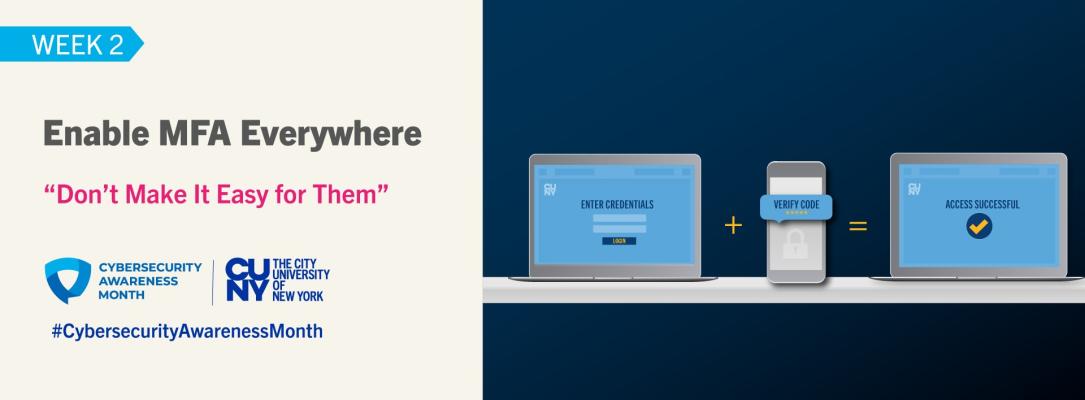
Week 2: Enable MFA Everywhere (Oct 13)
Introduction
This week, we focus on Enable MFA Everywhere.
A password alone may not be enough to protect your accounts. Multi-factor authentication provides an additional layer of security by requiring another method of verification when you sign in.
At CUNY, MFA helps protect University systems and services. CUNY Login MFA is used for applications such as CUNYfirst and Brightspace, while Microsoft MFA protects access to Microsoft 365 services. Whenever MFA is available for your personal accounts, enable it there as well.
Helpful MFA Tips:
- Enable MFA wherever it is available, particularly on accounts containing personal, financial, or sensitive information.
- Never share your password or MFA passcode with anyone.
- Never approve an MFA request you did not initiate, and carefully verify any number, location, or application information displayed before approving the request. For example, if you receive an MFA approval request when you are not trying to sign in, deny the request and report it to your college IT office. This could mean someone is attempting to access your account.
- For Microsoft MFA at CUNY, set up more than one authentication method when possible so you have a backup if your primary method is unavailable. CUNY lists Microsoft Authenticator as the most convenient second-factor option.
MFA Resources:
- CUNY Microsoft Multi-factor Authentication (MFA)
- CUNY Cybersecurity Awareness Month
- CISA – Turn On MFA
Facts and Figures:
Insights from the Oh Behave! Cybersecurity Attitudes and Behaviors Report: 2021–2025 (National Cybersecurity Alliance & CybSafe) are as follows:
- Awareness of multi-factor authentication (MFA) increased from 52% in 2021 to 77% in 2025.
- Despite increased awareness, regular MFA use was only 53% in 2025.
Helpful Cybersecurity Tips:
- CUNY Cybersecurity Best Practices
- Secret Shopper, Personal Assistant, and Other Online Scams
- CUNY Information Security Resources
- CUNY Security Awareness
- CUNY IT Security Awareness Course
Students, faculty, and staff should log into Brightspace and complete the latest cybersecurity awareness training course under the Compliance or Organization tab.
Our emails and supporting information are available from the Cyber Security Awareness Month (NCSAM) page on the CUNY web site.
We also provide a growing security resources list on the CUNY Information Security pages. You may also want to visit the OUCH! website to read recent security articles or subscribe to its free security awareness newsletter designed for technology users.
If you have any questions about any of this information, please contact the CCNY Information Security Office at itsecurity@ccny.cuny.edu .
Cybersecurity Awareness Month: Use Strong, Unique Passwords and... [10/5/26]
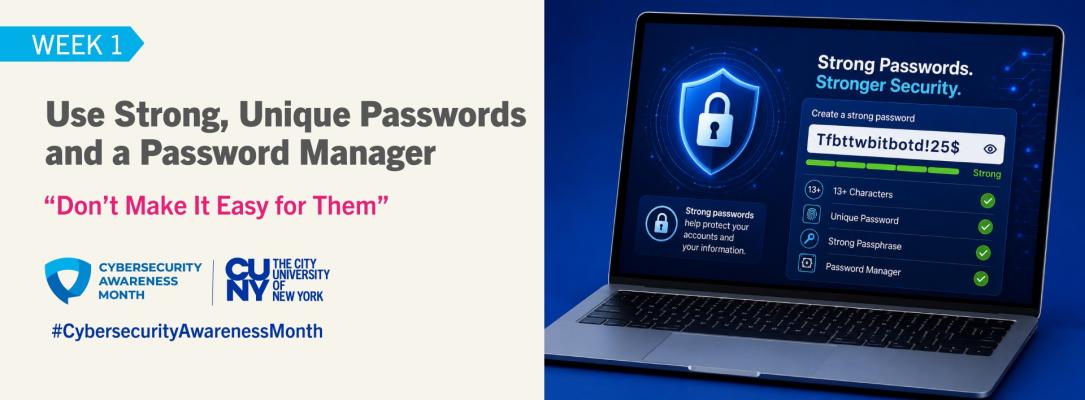
Week 1 – Use Strong, Unique Passwords and a Password Manager (Oct 5)
Introduction
This week, we focus on "Use Strong, Unique Passwords and a Password Manager," an essential step in protecting your accounts and personal information.
Strong passwords are a foundation of online security. Using a strong, unique password for every account helps prevent one compromised password from putting your other accounts at risk. CUNY's Cybersecurity Best Practices recommend choosing strong and unique passwords for every account or application and never sharing your password.
A password manager can also make it easier to manage multiple strong, unique passwords by securely creating and storing them.
Helpful Password Tips:
- Make passwords long: at least 13 characters (longer is better).
- Use random strings or passphrases: combine unrelated words or mix letters, numbers, and symbols.
- Create unique passwords for every account: never reuse the same one.
- Create a memorable but strong password: Consider using a long passphrase made up of unrelated words that is easy for you to remember but difficult for others to guess.
- Check for reused passwords: Review your important accounts and replace any passwords you have reused. Each account should have its own unique password.
- Consider using a password manager: It can help generate and securely store strong, unique passwords.
- Never Share Your Credentials: Never share your password, MFA codes, or any other authentication credentials with anyone, under any circumstances, including fellow students, faculty, staff, supervisors, subordinates, executives, contractors, vendors, or IT personnel. Legitimate support staff will never ask for your password or MFA code. If anyone requests or pressures you to provide your credentials, report the incident immediately to Student Affairs, Human Resources, or your Information Security Office.
Password Resources:
- CUNY Cybersecurity Awareness Month – Password Guidance
- CUNY Cybersecurity Best Practices
- How to Create Strong Passwords (and Remember Them!) – NCA
- What Is a Password Manager? Time to Log in Safer – NCA
- Secure Our World – CISA
Facts and Figures:
Insights from the Oh Behave! Cybersecurity Attitudes and Behaviors Report: 2021–2025 (National Cybersecurity Alliance & CybSafe) are as follows:
- 62% of respondents report regularly creating unique passwords, a decline from the previous year.
- 41% of respondents never use a password manager.
Helpful Cybersecurity Tips:
- CUNY Cybersecurity Best Practices
- Secret Shopper, Personal Assistant, and Other Online Scams
- CUNY Information Security Resources
- CUNY Cybersecurity Awareness Training / Security Awareness
Our emails and supporting information are available from the Cyber Security Awareness Month (NCSAM) page on the CUNY web site.
We also provide a growing security resources list on the CUNY Information Security pages. You may also want to visit the OUCH! website to read recent security articles or subscribe to its free security awareness newsletter designed for technology users.
If you have any questions about any of this information, please contact the CCNY Information Security Office at itsecurity@ccny.cuny.edu .
Launch of Cybersecurity Awareness Month [10/1/26]

Week 0 – Launch: Don’t Make It Easy for Them (Oct 1)
Introduction
October is Cybersecurity Awareness Month, an international initiative that helps everyone take simple steps to stay safe online. This year's theme is “Don't Make It Easy for Them” — a reminder that building good cybersecurity habits and practicing them consistently can make life more difficult for cybercriminals.
CUNY is proud to support this effort in partnership with the U.S. Cybersecurity and Infrastructure Security Agency (CISA) and the National Cybersecurity Alliance (NCA).
Throughout October, we will highlight five simple defensive behaviors across four weekly topics to help you stay safer online — no expertise required:
- Week 1 – Use Strong, Unique Passwords and a Password Manager (Oct 5)
- Week 2 – Enable MFA Everywhere (Oct 13)
- Week 3 – Keep Software Updated (Oct 19)
- Week 4 – Scrutinize Every Message (Oct 26)
Additional Resources:
Here are some helpful resources to strengthen your online safety practices:
- Cybersecurity Awareness Month 2026 – National Cybersecurity Alliance (NCA)
- Secure Our World – CISA
- Secure Our World: Cybersecurity Awareness Month Resources – CISA
- 4 Easy Ways to Stay Safe Online – National Cybersecurity Alliance (NCA)
- CUNY Cybersecurity Best Practices
- CUNY Information Security Resources
- Oh Behave! Cybersecurity Attitudes and Behaviors Report: 2021–2025 – NCA & CybSafe
Facts and Figures:
Insights from the Oh Behave! Cybersecurity Attitudes and Behaviors Report: 2021–2025 (National Cybersecurity Alliance & CybSafe) are as follows:
- Awareness of multi-factor authentication (MFA) increased from 52% in 2021 to 77% in 2025, yet regular MFA use was only 53% in 2025.
- Concern about cybercrime increased from 57% in 2022 to 68% in 2025.
- 31% of participants believe losing money online is unavoidable, up from 25% in 2022.
- Phishing accounted for 40% of reported cyber incidents in 2025.
Helpful Cybersecurity Tips:
- CUNY Cybersecurity Best Practices
- Secret Shopper, Personal Assistant, and Other Online Scams
- CUNY Information Security Resources
- CUNY Cybersecurity Awareness Training / Security Awareness
Our emails and supporting information are available from the Cyber Security Awareness Month (NCSAM) page on the CUNY web site.
We also provide a growing security resources list on the CUNY Information Security pages. You may also want to visit the OUCH! website to read recent security articles or subscribe to it's free security awareness newsletter designed for technology users.
If you have any questions about any of this information, please contact your college's Information Security Manager.
Archives [6/4/24 - 1/13/20]
SPRING 2024
OIT-ISO NOTIFICATION: Tuesday, June 4, 2024 -Security Alert: Ongoing Phishing Attacks
Recently, our campus has been the target of numerous phishing attacks using a variety of fraudulent offers and notices. These attacks primarily target Students, Staff and Faculty with fake notices of account termination, fraudulent job offers, and fake requests from supervisors and other administrators to purchase gift cards. >>View Notice
OIT-ISO NOTIFICATION: Monday, January 29, 2024 - [THREAT ALERT] Multiple Active Email Phishing Attacks
Recently, our campus has been the target of numerous phishing attacks using a variety of fraudulent offers and notices. These attacks primarily target Students, Staff and Faculty with fake notices of account termination, fraudulent job offers, and fake requests from supervisors and other administrators to purchase gift cards. >>View Notice
FALL 2023
OIT-ISO NOTIFICATION: Monday, November 20, 2023 - Important Security Update: New End-Point Protection, Cortex XDR
In recent months, cyber-attacks disabled thousands of computers at other CUNY colleges, disrupting their business operations. We are anticipating an annual surge of cyber threats that typically occurs during the holiday season. In response to these hazards, in collaboration with CUNY, we are fortifying our information security measures. >>View Notice
FALL 2020
OIT-ISO NOTIFICATION: Friday, September 4, 2020 - [THREAT ALERT] Multiple Active Email Phishing Attacks
There is an active phishing email attack targeting City College student email accounts. One such campaign that rising in occurrence is one in which various work from home job offers are sent, working for faculty or for doctors or in well-known offices or organizations such as UNICEF and WHO. >>View Notice
SPRING-SUMMER 2020
OIT-ISO NOTIFICATION: [THREAT ALERT] Active Email Phishing Attack - May 1, 2020
There is an active phishing email attack targeting City College student email accounts. This attack has the subject line "FREELANCER/VIRTUAL ASSISTANT URGENTLY NEEDED" or "VIRTUAL ASSISTANT PT OFFER". >>See Notice
OIT-ISO NOTIFICATION: Secure Transfer - April 28, 2020
The Office of Information Technology would like to introduce the Secure Transfer portal, The OIT Information Security Office recommends exercising due diligence and caution in your cybersecurity efforts. >>See Notice
OIT-ISO NOTIFICATION: Video-Teleconferencing Hijacking Advisory - March 31, 2020
There are reports of video-teleconferencing being disrupted by pornographic and/or hate images and threatening language. These are known as VTC hijacking (Also called “Zoom-bombing”). >>See Notice
OIT-ISO NOTIFICATION:COVID-19 Related Phishing Campaigns--March 26, 2020
Malicious cyber threat actors are capitalizing on the global attention surrounding the novel 2019 Coronavirus (COVID-19) to facilitate scams, distribute malware, and send phishing emails. >>See Notice
OIT-ISO NOTIFICATION: Email Scams Advisory--March 2, 2020
This is a reminder to be alert to the innumerable online scams. One of the most prevalent is known as a “phishing” email. These emails are designed to look like legitimate emails originating from your bank, a friend, or even the United States government. However, they are a ruse to persuade you to download malicious software and/or reveal account credentials and personal information that can be used for identity theft. >>See Notice
OIT-ISO NOTIFICATION: Email Scams Advisory--February 7, 2020
This is a reminder to be alert to the innumerable online scams. One of the most prevalent is known as a “phishing” email. These emails are designed to look like legitimate emails originating from your bank, a friend, or even the United States government. However, they are a ruse to persuade you to download malicious software and/or reveal account credentials and personal information that can be used for identity theft. >>See Notice
WINTER SESSION 2020
CUNY-CIS Security Advisories: FBI FLASH Report – Website Defacement Activity Indicators of Compromise and Techniques Used to Disseminate Pro-Iranian Messages – TLP: GREEN--January 13, 2020
Following last week’s US airstrikes against Iranian military leadership, the FBI observed increased reporting of website defacement activity disseminating pro-Iranian messages. The FBI believes several of the website defacements were the result of cyber actors exploiting known vulnerabilities in content management systems (CMSs) to upload defacement files. The FBI advises organizations and people concerned with Iranian cyber targeting be familiar with the indicators, tactics, and techniques provided in the attached file.


Last Updated: 10/28/2026 13:28