
Course and Teacher Survey Toolkit
A practical Resource for instructors
Student feedback is one source of insight into course experience. Clear, neutral reminders can help students understand how to participate and where to find official survey information.

Reminder communication
Customize the bracketed details with the official survey dates and link to complete the survey.
To confirm dates and participation details visit the CTS website. The CCNY student email link opens Outlook; the course-specific survey access information is provided in the email.
Early Reminder
Subject: Course and Teacher Survey for [Course Name]
Hello,
The Course and Teacher Survey for [Course Name / Section] is available from [opening date] through [closing date]. Check your CCNY student email for the survey access link and instructions. Sign in to your CCNY student email.
Your feedback offers a perspective on your course experience and can inform course improvement. Please review the survey information and submit your responses by the stated deadline.
Thank you.
Final Reminder
Subject: Reminder: CTS closes [closing date]
Hello,
A reminder that the Course and Teacher Survey for [Course Name / Section] closes on [date]. If you would like to participate, check your CCNY student email for the survey access link and instructions. Sign in to your CCNY student email.
Thank you for taking time to share your feedback.
Brightspace announcement
Post a short announcement in your Brightspace course. Include the survey window and access information.
To confirm dates and participation details visit the CTS website. The CCNY student email link opens Outlook; the course-specific survey access information is provided in the email.
Sample announcement
Course and Teacher Survey (CTS)
The Course and Teacher Survey for [Course Name / Section] is open from [opening date] through [closing date]. The survey is an opportunity to share feedback about your experience in this course. Your feedback can help inform course improvement.
To participate, check your CCNY student email for the survey access link and instructions. Sign in to your CCNY student email.
Please review the survey information and submit your response by [closing date]. For questions about access, deadlines, or privacy, contact the CTS Team at the Office of Evaluation and Testing.
encourage class participation
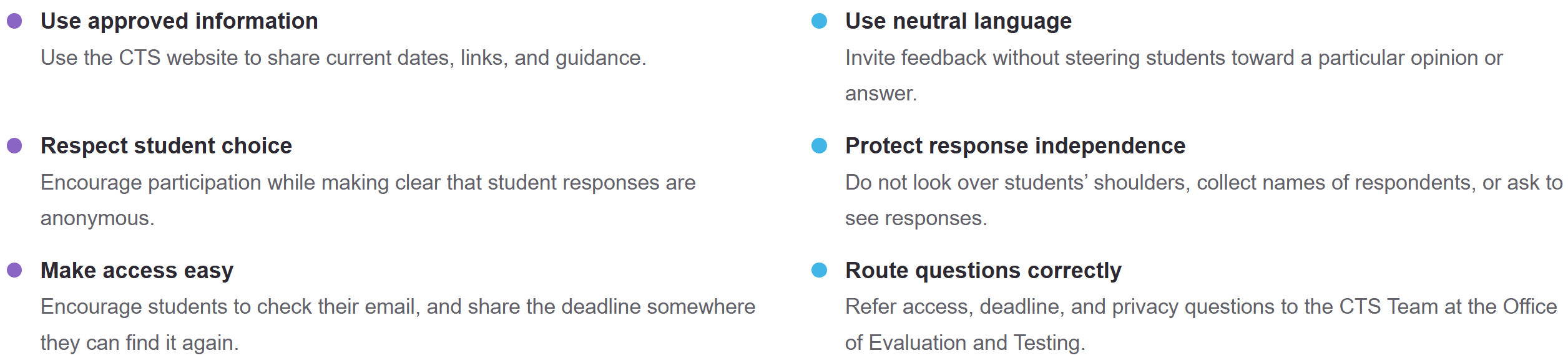
An invitation and providing 5-10 minutes to complete the survey can help students take part. Keep the choice and response in students' hands.

best practices
tips for success
01 Check the details first
Verify the survey window and official access instructions before sending a reminder.
02 Plan two reminders
Consider one announcement near the start of the survey period and one before it closes.
03 Keep the message short
State what the survey is, why feedback matters, how to access it, and the deadline.
04 Use more than one channel
When appropriate, pair a Brightspace post with a brief verbal reminder.
05 Leave time without pressure
If you set aside class time, let students complete the survey privately and independently.
QUICK ANSWER
Frequently asked questions
What is the CTS?
The Course and Teacher Survey is a way for students to share feedback about their course experience. Consult official CCNY communications for current survey procedures.
When should I remind students?
Use the opening and closing dates provided in the official communication. A brief reminder near the beginning of the survey window and another before it closes may help students find the information.
Can I require students to complete the survey?
No, CTS participation is voluntarily. You may encourage students in a neutral way.
Can I view individual student responses?
No, CTS is anonymous. After grade are submitted you will receive your course report. For information about response access, reporting, and privacy, contact the CTS Team at the Office of Evaluation and Testing.
What if a student cannot access the survey?
Direct the student to the access instructions in the official survey communication and refer unresolved access issues to the CTS Team at the Office of Evaluation and Testing.
Contact information

NEED CTS SUPPORT?
For questions about access, deadlines, or privacy, contact the CTS Team at
ctsurvey@ccny.cuny.edu
. For current survey dates, links, and procedures, use the CTS website.
Email:
ctsurvey@ccny.cuny.edu
| (212) 650-6488
For additional contact options, visit the Office of Evaluation and Testing.


Last Updated: 10/14/2026 15:04